Building a Walkman-style MP3 Player on Flipper Zero
For a while I had this silly but very satisfying idea in the back of my head: what if I turned my Flipper Zero into a tiny old-school Walkman-style MP3 player?
Not a streaming client. Not a modern polished media app. Just a fun, nostalgic little controller with a retro cassette-player feel.
That idea eventually turned into Flipper Walkman — a native Flipper Zero external app that talks over UART to one of those cheap MP3 modules you can find all over hobby electronics stores and marketplaces. I built it around a GD3300D / HW-311 style board with a microSD card slot and headphone output, and after a few iterations it actually became a working little project.
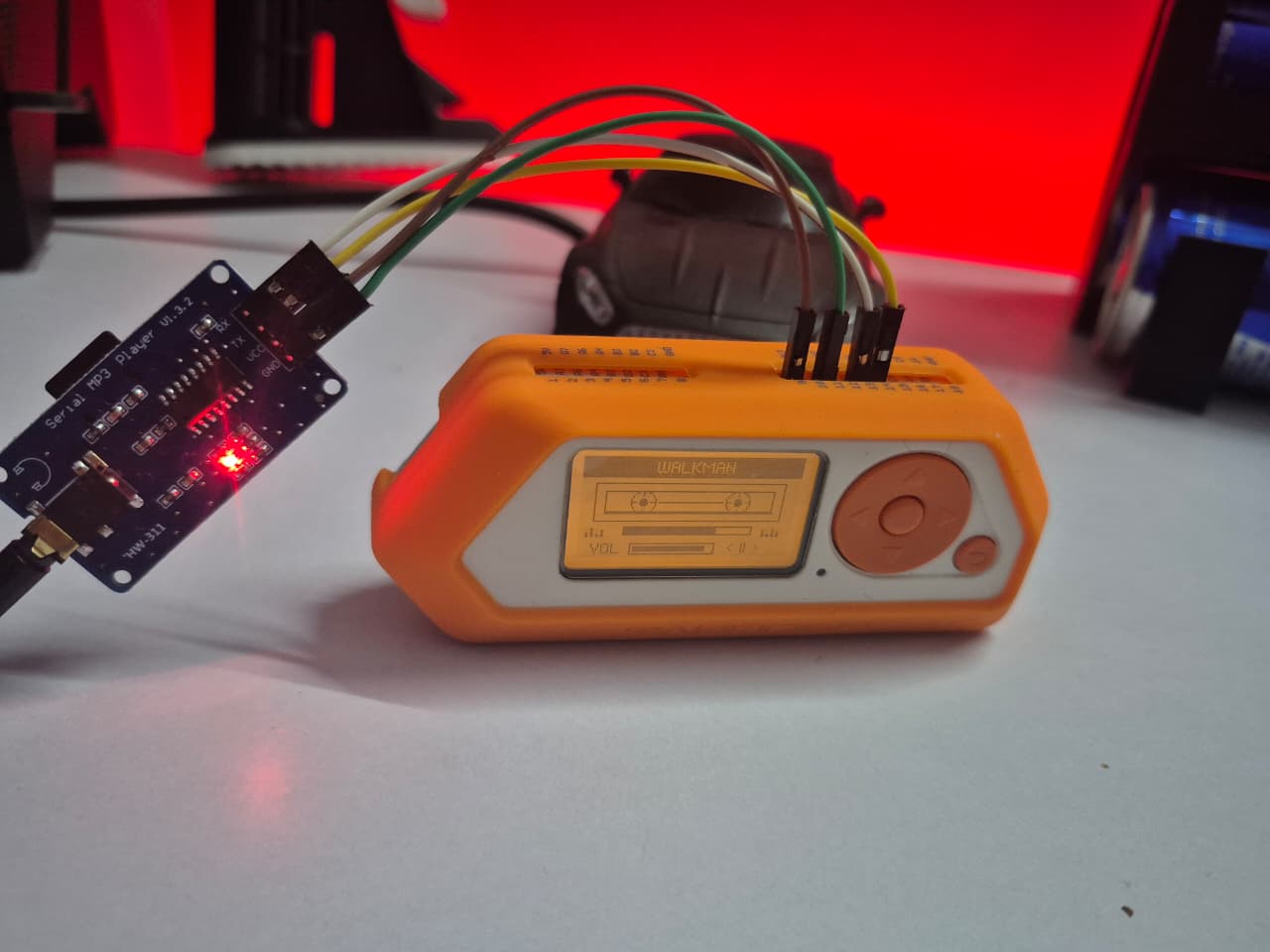
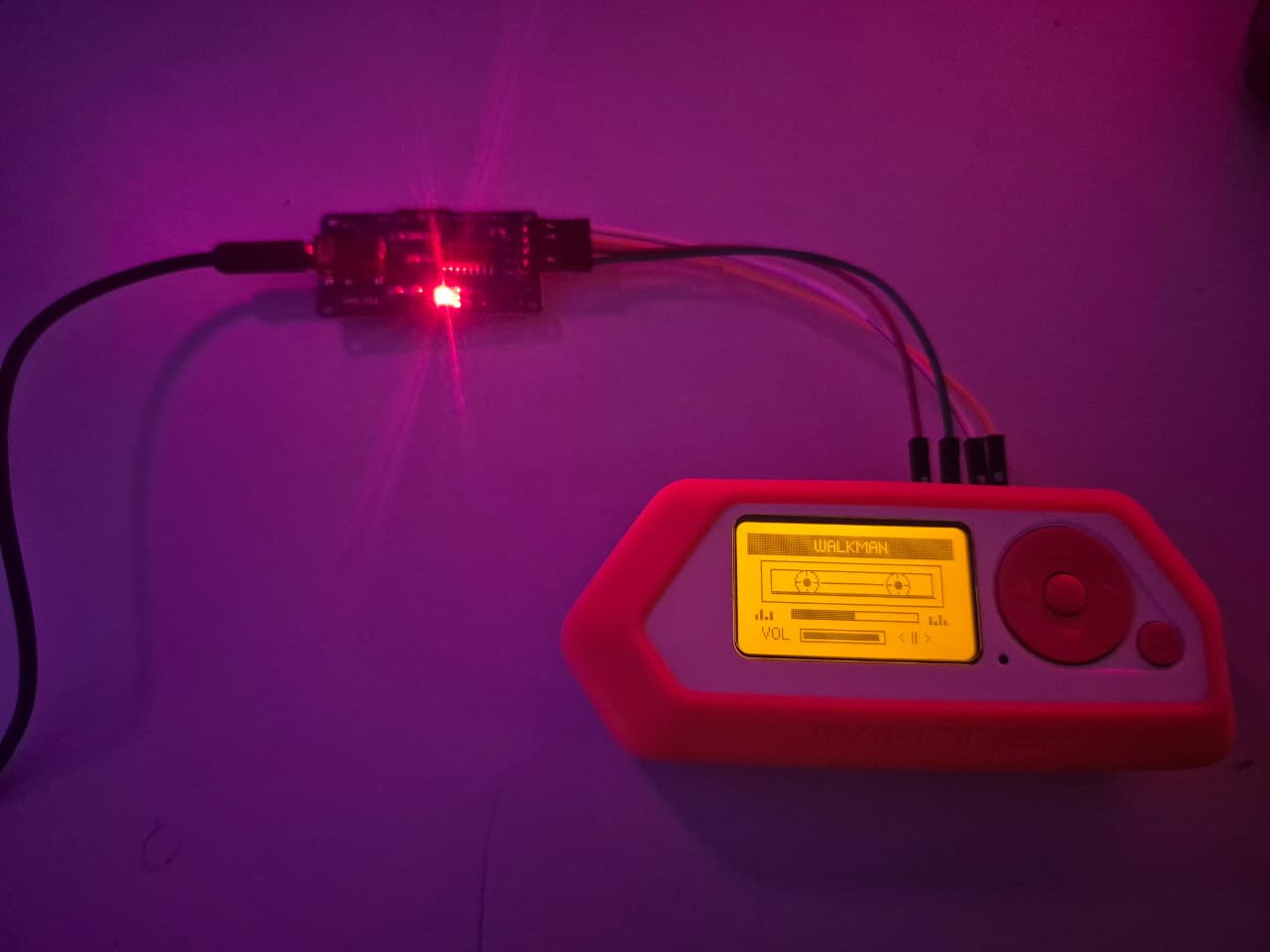
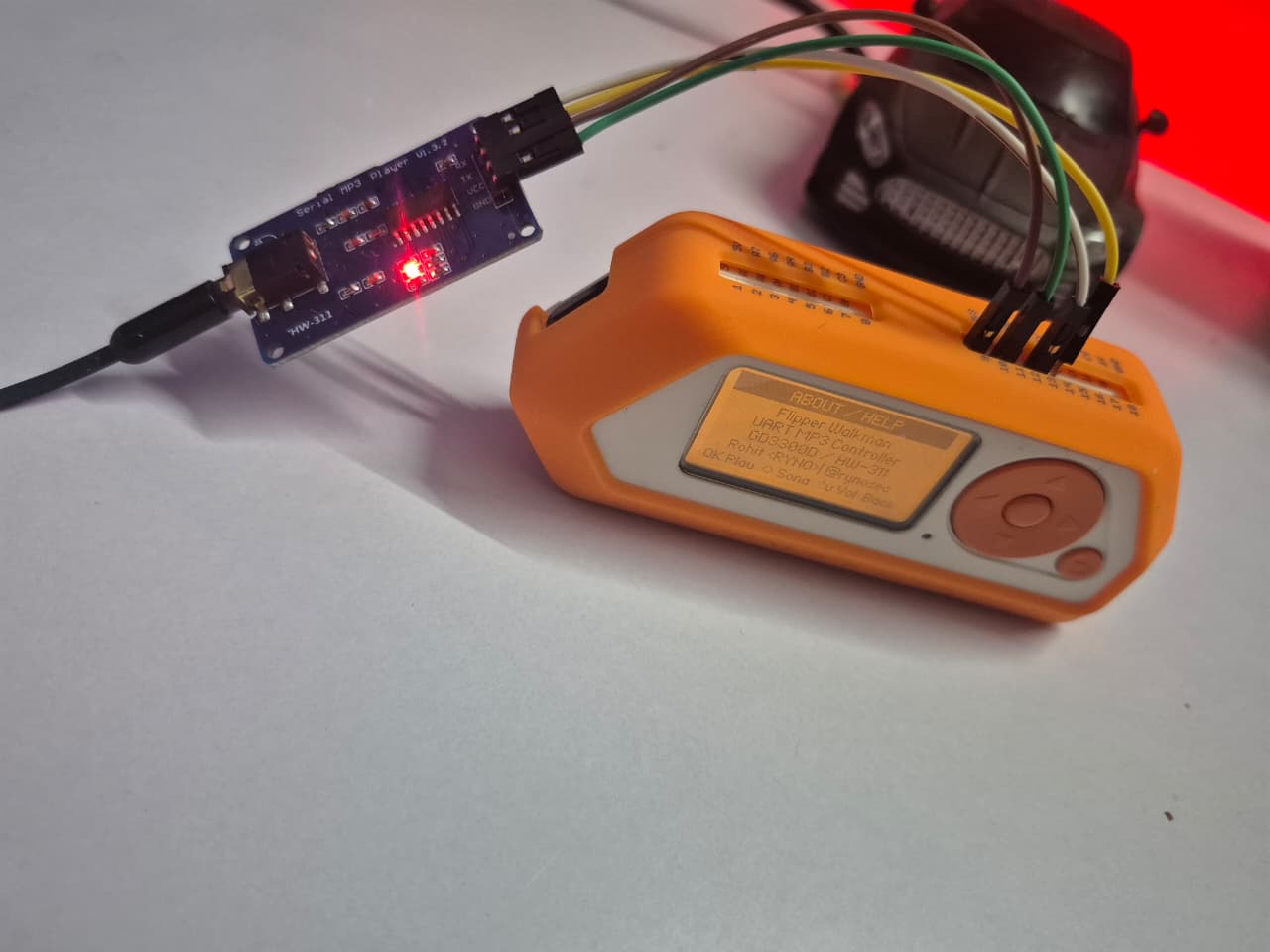
Here are a few real-life shots of the build:
The original idea
The core concept was simple:
- Use the Flipper as the controller and user interface
- Use an external UART MP3 board for storage, decoding, and audio output
- Wrap the whole thing in a UI that feels more like an old cassette player than a generic embedded utility
I really liked the image of a Flipper acting like a miniature digital Walkman remote. It felt unnecessary in exactly the right way.
But before I landed on the final setup, I explored a few other routes in my head.
I considered going with something like a DFPlayer Mini. I also thought about using a VS1053 / VS1503 codec-style module, and at one point I even considered having an ESP32 companion board handle part of the stack. All of those could probably be made to work, but they started pushing the project toward more custom soldering, more wiring, and more one-off glue logic than I wanted to spend time on a fun weekend-style hardware build.
What I really wanted was something closer to plug-and-play: a cheap module that already handled storage and audio output cleanly, and could be driven over UART without a bunch of extra baggage.
The breakthrough was stumbling onto the HW-311 style board built around the GD3300D / YX5300 / YX6300 family. The big selling point for me was how ready-to-go it felt. It already had a pre-soldered 3.5mm jack, onboard microSD support, and just enough simplicity that I could focus on building the Flipper-side experience instead of turning the entire thing into a bigger electronics project.
That was the moment the idea really clicked.
There is something very fun about using a modern hacker gadget to drive a dirt-cheap MP3 decoder board like it is a piece of vintage consumer electronics.
First attempt: JavaScript
My first working prototype was actually in JavaScript.
That was useful because it let me prove the idea quickly. I could experiment with controls, screen flow, and UART behavior without fully committing to a native app right away.
But after pushing on it a bit more, the UI side started feeling painful. The APIs were workable enough for prototyping, but building the exact interface I wanted felt more awkward than it should have. I wanted tighter control over the layout, the screen drawing, and the overall feel of the app.
So I moved the project over to a native C .fap app.
That ended up being the right decision.
Moving to a native C app
Once I switched to a native external app, the whole project started feeling a lot more natural.
I could draw the UI the way I wanted, keep the app structure simple, and make the control flow feel more like a real little product instead of a demo. The current version is built with uFBT and runs as a Flipper external app.
Right now the app supports:
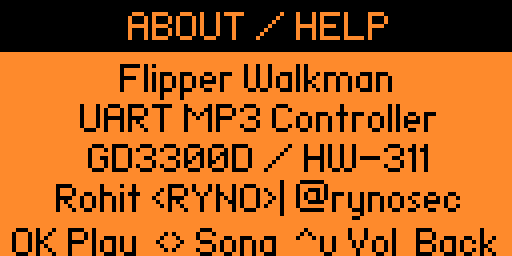
OKfor play/pause toggleLeft/Rightfor previous/next trackUp/Downfor volume up/downLong OKfor an About/Help screenLong Backto exit the app
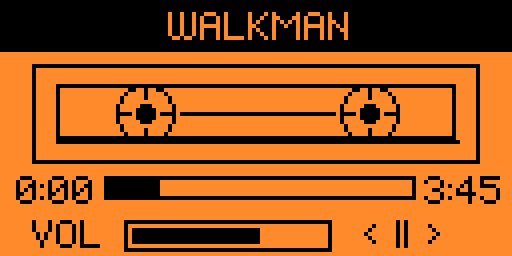
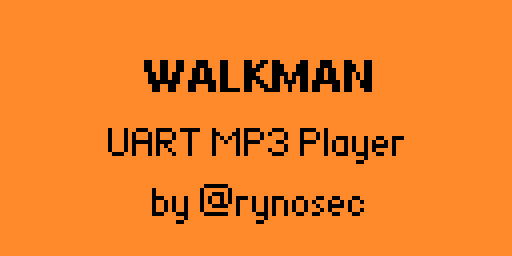
The UI is intentionally styled like a compact retro music player, with a cassette-inspired screen layout and transport controls.
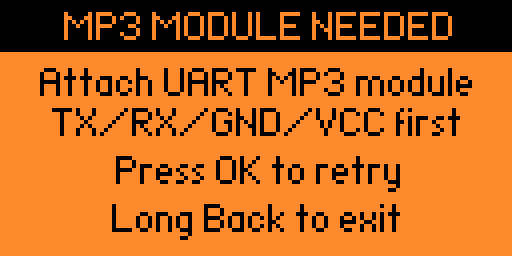
Here are a couple more screens from the current build:
The hardware side
The hardware setup is very straightforward.
I used:
- Flipper Zero
- UART MP3 Player V1.3.2 / HW-311 ( GD3300D chip)
- microSD card
- headphones or speaker connected to the module
The wiring is simple:
1
2
3
4
Flipper TX -> module RX
Flipper RX -> module TX
Flipper GND -> module GND
Flipper 3.3V -> module VCC
A simple wiring sketch for the setup:
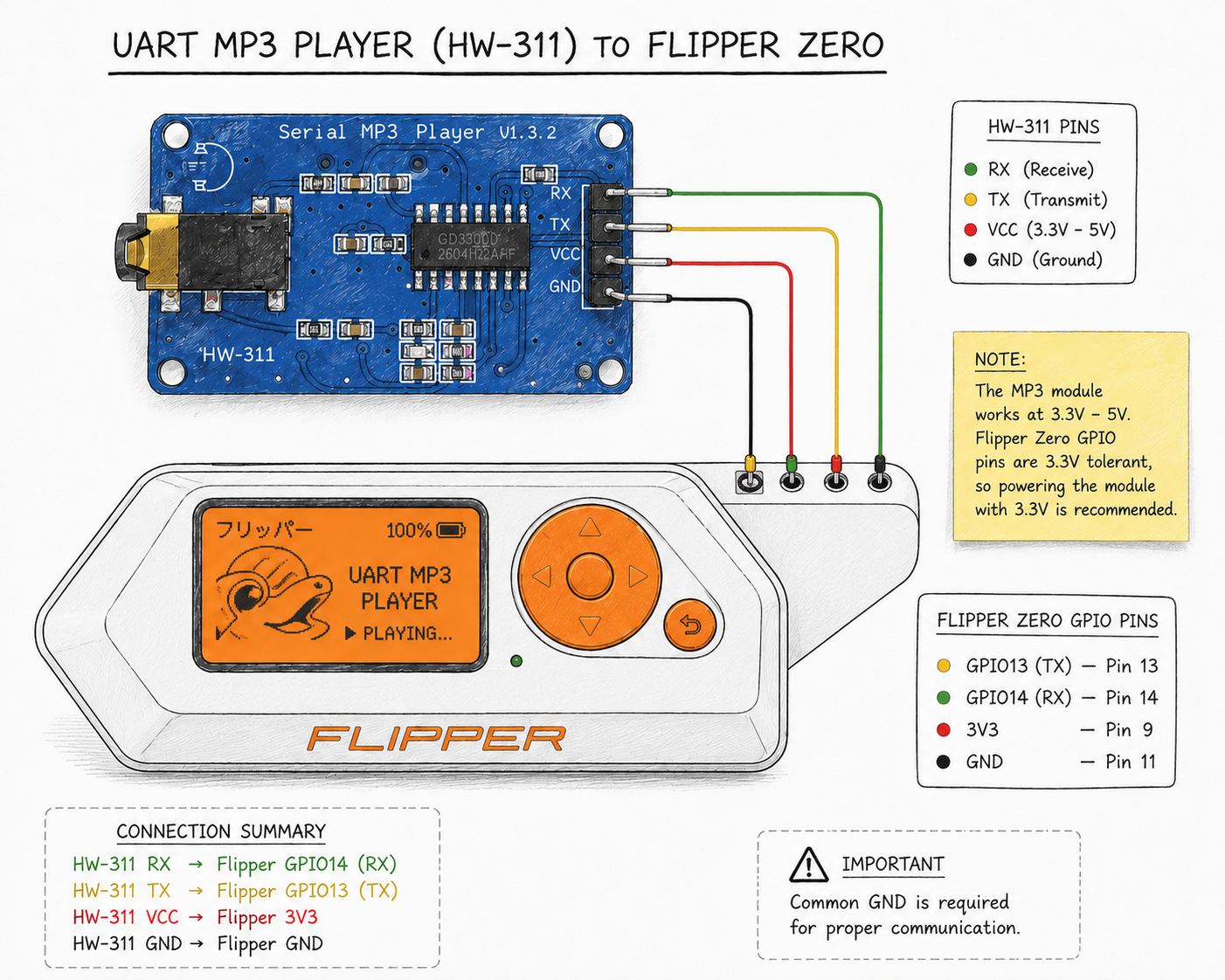
In my testing, 3.3V worked fine.
That said, I want to mention this clearly because these cheap modules vary a lot: some boards may prefer 5V, depending on their exact design and onboard regulator behavior. So if anyone builds this and gets inconsistent behavior, power is one of the first things worth checking.
One important clarification
This is not a Flipper-native MP3 player in the literal sense.
The Flipper is not reading MP3 files directly from its own storage and it is not decoding audio itself.
Instead:
- the Flipper handles the UI and button controls
- the UART MP3 module handles the microSD card
- the UART MP3 module does the MP3 decoding
- the audio comes out from the module, not the Flipper
I think that distinction matters, especially if someone sees the screenshots later and assumes the Flipper is somehow doing audio playback internally.
SD card preparation
One of the more important practical details is that these cheap modules can be picky.
The GD3300D / YX5300 chip cannot read a file sitting loosely in the root directory. It expects a specific folder and naming structure before it will properly register the file.
For the simplest setup, do this:
- create a folder in the root of your SD card named exactly
01 - place your MP3 file inside that folder
- rename the file to exactly
001.mp3
Also:
- use a microSD card that is
32GB or smaller - format it as
FAT32
In other words, think of the setup as:
1
/01/001.mp3
Once that is done, you can control it with the Flipper Zero app.
This is one of those quirks that feels annoying until you know it, and then it becomes part of the charm of working with these cheap modules.
The annoying limitation: no song names
One of the biggest limitations is also one of the least surprising ones if you have used these modules before.
The current app does not show song names.
That is not because I skipped a nice easy feature. It is because these UART MP3 modules generally do not expose filenames or ID3 metadata in a friendly way over the serial interface. In practice, you can control playback and move between tracks, but you usually do not get a clean way to ask the module, “what file is currently playing?”
So right now the app works at the level of track order, not track metadata.
That is good enough for a first version, but obviously not the dream UX.
Where I want to take it next
The improvement I like most for a future version is keeping a playlist or mapping file on the Flipper SD card.
The idea would be something like:
- the MP3 module still handles playback
- the Flipper keeps a local text file mapping track numbers to human-readable names
- the UI can then show song titles even though the module itself does not expose them
That would be a pretty practical workaround for a very dumb UART device.
I also want to improve documentation, compatibility notes, and eventually package the project more cleanly for wider sharing.
Repo and build notes
I cleaned up the project into a more shareable external app structure with:
application.fam- native C source
- README
- build notes for uFBT
- wiring diagram
- troubleshooting notes
- roadmap ideas
- actual screenshots from the current app build
The app is built with uFBT, and the current .fap has already been working in my own tests.
Final thoughts
Flipper Walkman started as a nostalgic idea and turned into a neat little native app that actually feels fun to use.
The JavaScript prototype got me moving, but the native C .fap version is what made the project feel real.
If you are into Flipper development, UART gadgets, or weird retro-inspired side projects, this one is a fun build.
And if I get the playlist mapping idea working cleanly, the next version should feel a lot closer to the original vision.